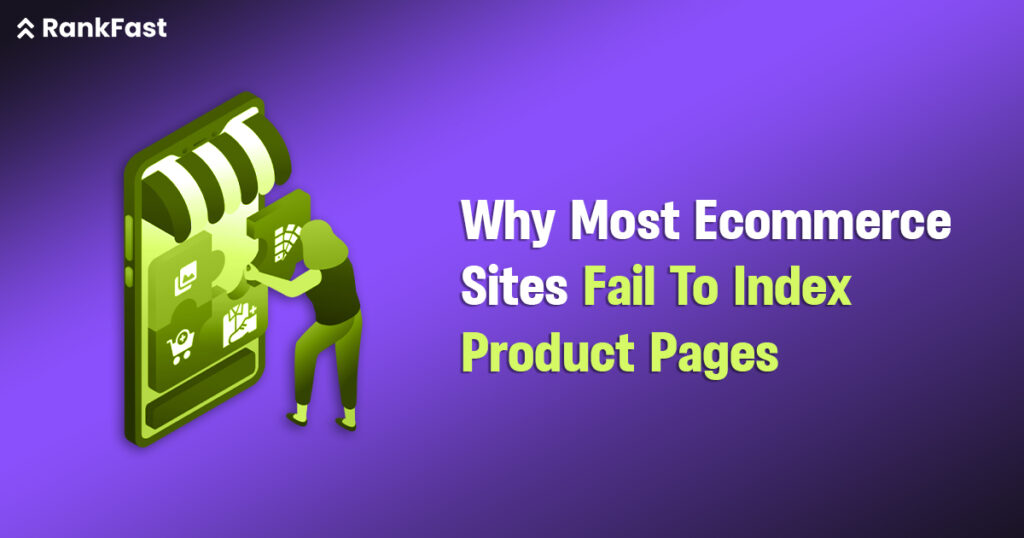
Your website’s visibility suffers when ecommerce indexing problems cripple it. This can make your SEO efforts worthless. Google’s John Mueller points out that search engines might barely index a site if they don’t see its overall value. Our SEO audits have found that more than half of the products on some eCommerce sites remain unindexed. Large eCommerce stores don’t handle these indexing problems very well.
A resilient technical SEO infrastructure helps overcome these challenges. Several factors can hurt your product visibility. These include robots.txt directives that block crawlers by accident and the wrong handling of 404 errors. Affordable link building strategies help with orphaned pages. Large stores with big product catalogs need to understand their crawl budget issues. This comprehensive guide explains why your products are hidden from search results. You’ll also find practical indexing solutions that boost your site’s search performance.
Diagnosing Product Page Indexing Issues With Google Search Console
Google Search Console is your best friend when it comes to fixing e-commerce indexing problems. Your product pages might vanish from search results, but this diagnostic tool explains what’s going on behind the scenes.
Using The Page Indexing Report To Identify Errors
The Page Indexing report (formerly Index Coverage) works as your control center to monitor how Google handles your product pages. You’ll see URLs grouped into different statuses that help you spot specific issues affecting your product visibility.
Here’s how to check this helpful report:
- Log in to Google Search Console
- Go to the Page Indexing Report section
- Look at the color-coded status categories (Valid, Valid with warnings, Error, Excluded)
E-commerce sites should watch the “Not indexed” section closely. This shows pages Google knows about but hasn’t added to its search index. A quick rise in non-indexed pages often points to technical SEO for ecommerce problems that need quick fixes. You should also check if your key product pages show up in the “Valid” category – these can appear in search results.
The error table tells you exactly why pages aren’t indexed and shows whether Google or your site caused the issue. Best of all, you can verify your fixes right through this interface after you solve the problems.
Understanding ‘Crawled – Currently Not Indexed’ Vs ‘Discovered – Not Indexed’
These two status messages often puzzle e-commerce site owners. The difference between them matters a lot for proper troubleshooting.
A “Crawled – Currently Not Indexed” label means Googlebot visited your product page but chose not to include it in search results. This isn’t always permanent – Google might index it later. Several things could block indexation:
- Content quality problems (duplicate or thin product descriptions)
- Technical issues (server errors, incorrect canonical tags)
- Page value assessment (Google thinks it’s not valuable enough)
“Discovered – Currently Not Indexed” means Google knows the URL exists but hasn’t tried to crawl it yet. Your product page sits in Google’s crawl queue, waiting for processing. This happens because:
- The page is new (Google needs time to process)
- Crawl budget issues affect large e-commerce catalogs
- The site was overloaded during previous crawl attempts
Small e-commerce sites (under 10,000 pages) usually see these issues fix themselves over time. Larger stores might face serious crawl budget issues that need strategic fixes through product indexing solutions.
Spotting Orphan Pages With Internal Link Analysis
Orphan product pages can cause big e-commerce indexing problems that many people miss. These pages exist on your website but lack internal links pointing to them. This makes them invisible to users and search engines alike.
These orphaned products face several problems:
- Users can’t find them through normal site navigation
- They get minimal link authority and relevance signals
- Google might drop them from its index
- They waste valuable crawl budget
You can find these problem pages by comparing data from different sources:
- Export crawled URLs from tools like Screaming Frog
- Compare them with Google Analytics and Search Console data
- Look for pages in analytics/console that don’t show up in your crawl report – these are likely orphans
After finding them, add these pages to your site structure through smart ecommerce SEO link building tactics. Link orphaned products to relevant category pages, add them to your content marketing pieces, or include them in recommended product sections. This helps both users and search engines find them again.
Technical SEO Barriers That Prevent Indexing
Google can’t properly crawl or understand your content because of technical obstacles hiding behind every unindexed product page. These ecommerce indexing problems are easy to miss, yet they quietly undermine your visibility efforts.
Robots.txt and Noindex Tag Conflicts
Your visibility efforts can fail when robots.txt file and noindex tags send mixed signals to search engines. Search engine crawlers get confused by this technical contradiction.
Google’s crawlers never see the noindex tag on a page when your robots.txt blocks Googlebot from accessing it. Google might still index the URL and show just the title without description, even if you wanted to keep it private. This happens a lot during site migrations when teams block staging environments but forget to update settings after launch.
Here’s how to fix these conflicts:
- Use robots.txt to prevent crawling of non-essential resources
- Keep noindex tags for pages that need crawling but not indexing
- Don’t use both methods on the same URLs
Note that meta noindex tags work better than robots.txt blocks alone if you want to prevent indexing while letting link equity flow.
Soft 404s And Server Errors (5xx)
Soft 404 errors happen when your server says a page exists (200) even though it’s empty or doesn’t exist. These pages send confusing signals to search engines instead of clearly showing “not found.”
Google spots these thin pages, labels them as soft 404s, and removes them from search results. Pages with this label usually get removed from the index, no matter how valuable they are to your site.
Server errors, especially 5xx errors that show server-side problems, can be just as bad:
- Google slows down crawling when it sees 5xx errors
- URLs stay indexed at first but drop out later
- Google ignores any content from pages with 5xx errors
You should use real 404/410 status codes for removed products and 301 redirects for moved content to handle errors properly.
Redirect Chains And Loop Errors
Product pages often face indexing problems because of redirect chains, where URLs keep redirecting to new locations. Google usually stops crawling after about 5 redirects, which means your key product pages might not get indexed.
Each extra redirect makes things worse:
- Your crawl budget gets wasted with each hop
- Link equity gets weaker through the chain
- Pages load much more slowly, frustrating users
Redirect loops cause even bigger problems when URLs point back to each other endlessly. Users and crawlers get stuck in these loops, seeing the “too many redirects” error. Google completely drops pages caught in these loops from its index.
Canonical Tag Misconfigurations
Canonical tags help search engines find your preferred version when similar pages exist. Several common setup mistakes can hurt your technical SEO for ecommerce efforts.
You create confusion about which page should be indexed by mixing canonical tags with noindex directives or robots.txt blocks. Canonical tags that point to error pages (404, 5xx) tell Google to look for pages that don’t exist, which leads to indexing failures.
Search engines might miss canonicals that only show up in the rendered DOM instead of the original HTML. They don’t always run JavaScript while crawling, which can lead to duplicate content issues.
You need regular technical audits with special tools to find these hidden issues before they affect your product indexing solutions.
Crawl Budget Issues in Large eCommerce Sites
Large ecommerce sites with thousands of products face serious visibility issues due to crawl budget limitations. Crawl budget is the number of pages search engines process on your site within a set time. Your critical product listings might never get found or indexed if this budget gets used up on less important pages.
Faceted Navigation and URL Parameter Overload
Your site’s faceting system creates a double-edged sword for ecommerce indexing problems. Faceted navigation helps shoppers filter products by size, color, and price. However, it creates countless URL variations that overwhelm search crawlers. A retailer with just 1,000 products, five filters, and 10 criteria per filter could generate millions of URLs.
This explosive growth in URLs leads to serious problems:
- Search crawlers waste resources on parameter variations instead of product pages
- Link equity gets spread thin across similar page versions
- The index bloats with low-value pages
Search crawlers can’t tell what’s truly important without checking each variation first. This wastes your limited crawl budget because these parameter-heavy URLs create endless versions of similar content.
Duplicate URLs from Sorting and Filtering
Beyond faceting issues, sorting and filtering options add another layer to ecommerce indexing problems. Search engines get confused about which version to prioritize when different URL patterns show similar content (like /products?sort=price and /products?sort=newest).
This duplication happens mainly because of:
- Session IDs create unique URLs for each visitor
- Analytics needs tracking parameters
- Multiple URL patterns point to similar product sets
These duplicate URLs split your site’s authority and might trigger Google’s duplicate content filters. Google picks what it thinks is the “best” URL to show in search results. However, this automatic choice might not match your preferred landing pages.
Improving Crawl Efficiency With HTML Pagination
HTML pagination offers one of the best technical SEO for ecommerce solutions to fix these crawl budget issues. A well-structured pagination system helps users and search engines traverse related pages quickly.
Your pagination should:
- Connect pages in sequence with standard HTML anchor elements
- Use unique canonical URLs for each paginated page
- Skip URL fragment identifiers (text after #) for pagination
- Link each page logically to adjacent pages
Clean URL structures that limit parameters work best. Rather than using versioning parameters like styles.css?v=2, name your files to include versions, like styles_v2.css. These product indexing solutions help search engines focus on your valuable pages instead of endless parameter combinations.
Content Quality And Rendering Problems
Poor content quality can sabotage your ecommerce indexing problems even after fixing technical issues. Google’s decision to index your pages depends on these basic quality factors.
Thin or Duplicate Product Descriptions
Google finds it hard to pick which version deserves top ranking when your product descriptions match dozens of other sites. According to Google’s Martin Splitt, “When Google notices a pattern of low quality or thin content on pages, they might be removed from the index”. Duplicate content doesn’t trigger penalties but makes indexation difficult.
- Manufacturer-copied content shows up on many competitor sites
- Product variants with similar descriptions create internal duplication
- Products become harder to rank without unique text describing visual elements
JavaScript Rendering Blocking Indexing
Your product pages loaded with JavaScript face specific technical SEO for ecommerce challenges. Google handles JavaScript through crawling, rendering, and indexing phases. Pages tagged as noindex at first won’t make it to rendering, so any JavaScript removing these tags later won’t help.
The rendering delays can reach 18+ hours in some cases. This creates big gaps between content updates and indexation. Pages that need JavaScript to show important product details feel these delays the most.
Missing or Incomplete Product Schema Markup
Your ecommerce pages need proper product schema markup to send vital signals to search engines. Structured data helps search algorithms understand your products better and boosts your chances of showing up in rich results that users click more often.
Low Engagement Metrics And Bounce Rates
User behavior plays a big role in how search engines judge page quality. Poor click-through rates and brief visits can signal quality problems. High bounce rates combined with users spending little time on your pages suggest content that misses the mark. This might lead to product indexing solutions like removal from search results in worst cases.
Quality improvements show results faster than fixing complex crawl budget issues. Search engines respond better to pages with enhanced content quality.
Fixing and Future-Proofing Product Indexing
Once you diagnose your ecommerce indexing problems, you need targeted solutions to maintain long-term search visibility. A combination of quick fixes and preventive measures will help keep your product indexing healthy.
Optimizing XML Sitemaps For Product Pages
XML sitemaps guide search engines to your important pages. You should optimize your sitemaps by including only SEO-relevant product URLs. The best practice is to exclude redirected URLs, non-canonical versions, and pages with noindex tags. Large catalogs work better when broken down into logical sections instead of sequential numbering. You can organize them by categories like /products-mens.xml and /products-womens.xml which makes troubleshooting easier.
Internal Linking from Blog And Category Pages
Internal linking creates essential pathways for search engines and distributes link equity across your site. Google can find and index new pages through internal links, so you should connect product pages strategically from your high-authority blog posts and category pages. This approach passes SEO strength to newer or less visible products. Links work best when placed within relevant content rather than generic “related products” sections.
Manual Reindexing Requests In Search Console
You’ll need to request manual reindexing for critical pages sometimes. Google Search Console’s URL Inspection tool helps with individual URLs. Keep in mind there’s a quota for submissions, which means you should prioritize your most important products. Make sure you’re a registered user before submitting recrawl requests.
Monitoring Indexing Health With Website Auditor
Website Auditor tracks your indexing status over time. Regular technical audits help you spot new indexing issues before they impact visibility. The tool shows your internal link structure and highlights architecture problems that could affect proper indexing.
Conclusion
Product indexing challenges are among the biggest problems eCommerce businesses face today. Search engines need to find and index your product pages. Otherwise, even the best-crafted pages won’t help your business. In this piece, you’ve seen how indexing issues come from many sources – from technical barriers like robots.txt conflicts to content quality issues that make Google question your pages’ value.
On top of that, content quality affects indexation decisions. Search engines want to see unique product descriptions, proper JavaScript implementation, and complete schema markup to give your pages visibility. Your internal linking structure is vital in helping search engines find and prioritize important product pages.
Your products need constant monitoring and quick problem-solving to stay indexed. Regular XML sitemap updates, smart internal linking, and occasional manual reindexing requests keep your products visible in search results.
Your next step might be professional help if your eCommerce site still doesn’t deal very well with product indexing. RankFast’s technical SEO services can find and solve these complex indexing issues. Your products will get the visibility they deserve. Visit RankFast today to see how their eCommerce SEO expertise can change your product visibility and bring valuable traffic to your online store.
FAQs
How can I improve the indexing of my eCommerce product pages?
To improve product page indexing, optimize your XML sitemaps, enhance internal linking from high-authority pages, ensure unique and high-quality product descriptions, implement proper schema markup, and regularly monitor indexing status using tools like Google Search Console. You may also need to address technical SEO issues and improve overall site architecture.
What are some common technical barriers preventing product page indexing?
Common technical barriers include robots.txt and noindex tag conflicts, soft 404 errors, server errors (5xx), redirect chains and loops, and canonical tag misconfigurations. These issues can confuse search engines and prevent them from properly crawling and indexing your product pages.
How does content quality affect product page indexing?
Content quality significantly impacts indexation decisions. Search engines may choose not to index pages with thin or duplicate content, as they provide little value to users. Unique product descriptions, proper implementation of JavaScript for content rendering, and complete schema markup all signal to search engines that your pages deserve visibility in search results.
What role does crawl budget play in eCommerce product indexing?
For large eCommerce sites with thousands of products, crawl budget limitations can seriously impact product visibility. When the crawl budget is exhausted on non-essential pages, critical product listings may never get discovered or indexed. Optimizing faceted navigation, managing URL parameters, and implementing efficient pagination can help preserve crawl budget for important pages.