College websites play a vital role in student college search, which makes your higher education SEO UX strategy essential to enrollment success. Search engines process billions of queries daily across desktop, mobile, and voice devices. Your institution must shine in an increasingly competitive digital world.
More than half of all users search with a mobile device. Nearly half of visitors abandon a site that takes longer than two seconds to load. These numbers show why higher education SEO has become challenging. Online content reaches record levels, and competition grows fiercer. You need a detailed enrollment conversion strategy that boosts search visibility and enhances user experience. The stakes are even higher since 42% of the U.S. population is millennials and Gen Zers.
This piece shows how leading SEO agencies in education website UX tips with user experience design. They help institutions attract and convert prospective students in today’s competitive digital space.
Understanding the Link Between UX and SEO in Higher Education

The connection between user experience and search engine optimization has seen a fundamental change for colleges and universities. The days of treating them separately are over. These elements now work together as connected pillars that shape your institution’s digital success and enrollment results.
Why UX Is Now A Ranking Factor
Search engines have evolved substantially. Google now includes user experience metrics directly in its ranking algorithm. This change started with RankBrain in 2015. The system reviews behavior metrics like bounce rate, pages per session, time on site, and click-through rate (CTR). These user engagement signals are now the third-most important ranking factor in Google’s algorithm, which keeps changing.
Google’s machine learning algorithms in 2025 review not just your page content but how users interact with it. Your higher education SEO UX strategy should focus on creating exceptional experiences, beyond just keyword optimization.
The numbers make UX’s importance clear: 54.4% of organic search clicks go to the top three Google search results. On top of that, 70% of prospective students want customized information on higher education websites. Schools using web personalization solutions see up to a 2700% increase in student inquiry conversions.
How SEO Drives Enrollment Traffic
Higher education institutions have faced declining enrollment since 2010. Becoming skilled at SEO gives them a substantial edge in student recruitment. Students first find your institution through search engines. Their website experience directly affects their enrollment choices.
So, a complete higher education SEO strategy must focus on:
- Technical optimization that ensures website health
- Keyword strategy based on student search intent
- Clear navigation paths that guide prospects through their experience
- Mobile-first design that serves Gen Z users effectively
- Content that delivers customized, relevant information
The real test of working SEO for higher education is when your website appears in the top three organic search results on page one. The top Google search result gets an average click-through rate of 22.4%. Better search visibility leads to enrollment growth.
On top of that, technical reviews of page speed, canonical tags, and broken links help your site run smoothly. Page audits that look at metadata, headings, and content quality make sure each page works well for search engines.
The Role of Google’s Page Experience Update
Google launched its Page Experience algorithm update in 2021. This update changed how search engines review higher education websites. It was built on earlier changes like the 2018 page speed update, 2016’s intrusive interstitials policy, and 2015’s mobile-friendly update.

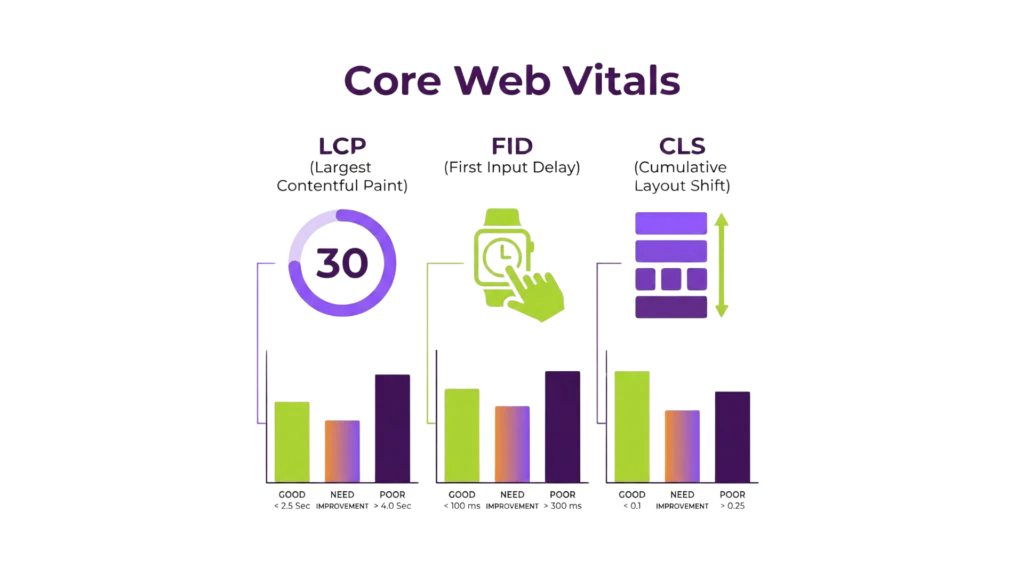
Page Experience brought Core Web Vitals as crucial ranking factors. These metrics look at real-life user experience through three key components:
- Largest Contentful Paint (LCP): Your page’s main content should load within 2.5 seconds
- First Input Delay (FID): Your page should become interactive within 100 milliseconds
- Cumulative Layout Shift (CLS): Your page should maintain visual stability (score of 0.1 or lower)
Your web pages need scores in at least the 75th percentile for all three metrics to pass the Core Web Vitals assessment. Google also reviews mobile-friendliness, security aspects, HTTPS encryption, and checks for intrusive interstitials.
Content quality still matters most. The Page Experience signal works as a powerful tiebreaker in search rankings. Higher education institutions compete for future students’ attention. This means their enrollment conversion strategy needs both excellent content and outstanding user experience.
Core Web Vitals That Impact Enrollment Conversion
Core Web Vitals are the technical backbone of your higher education website’s performance. They directly affect how future students interact with your institution online. Google uses these vital measurements to evaluate user experience, making them the foundations of your higher education SEO UX strategy.
Largest Contentful Paint (LCP) and Its 2.5s Benchmark
LCP shows how fast the largest content element in the viewport becomes visible to users. Higher education websites typically display hero images on program pages or text blocks that describe academic offerings.
Google’s standards say your website should load within 2.5 seconds or less to give users a good experience. This isn’t just a random number – colleges with better LCP scores have seen better enrollment numbers. Students lose patience and might abandon their application when load times exceed this threshold.
The numbers tell a compelling story. A Google case study showed a company boosted sales by 5% after making their LCP 31% faster. Their conversion rates jumped 11-15% when LCP improved from 8.3 seconds to 5.7 seconds. Your institution could see similar gains in inquiry-to-application conversion rates.
First Input Delay (FID) And Interactivity Thresholds
FID measures your website’s response time when a student first interacts with it, like clicking an “Apply Now” button or choosing a program. Your website needs an FID under 100 milliseconds for the best user experience.
This number matters even more because future students form their first impression of your institution in just 50 milliseconds of interaction. A quick-responding website shows institutional quality and reliability. Poor response times can lead to:
- Higher bounce rates from frustrated applicants
- Increased “rage clicks” on non-responsive elements
- Less trust in your institution’s digital presence
Cumulative Layout Shift (CLS) And Visual Stability
CLS measures how stable your website looks while loading. A stable layout prevents frustrating moments when students try to click buttons or read program descriptions.
Your institution’s website should keep a CLS score under 0.1 to give users a good experience. This helps future students navigate your site confidently without disruption.
Layout shifts can cause real problems during critical enrollment steps. Students might click the wrong program option, send incomplete forms, or get frustrated while looking for financial aid information.
Time to First Byte (TTFB) And Server Response Time
TTFB isn’t an official Core Web Vital, but it measures your server’s initial response time and affects other performance metrics. Your higher education website should have a TTFB under 0.8 seconds.
TTFB especially matters for higher education websites that run complex database queries, like program finders or tailored content systems. Slow server performance can create problems with all other Core Web Vitals and hurt your enrollment conversion strategy.

Better Core Web Vitals will boost your higher education SEO results, especially when combined with strategic content and intuitive design approaches. These technical metrics can determine whether future students engage with your institution or choose competitors with better digital experiences.
UX Design Elements That Influence Student Behavior
Your higher education website’s success depends on more than just technical metrics. The way prospective students interact with your site relies heavily on specific UX design elements. These elements create pathways that either guide students toward enrollment or make them leave in frustration.
Clear Navigation Paths For Prospective Students
Student-centered design starts with effective navigation. Research shows that 67% of mobile users abandon websites when they struggle to find their way around. The most successful higher education websites organize content based on what users want to do, rather than following departmental structures.
Your navigation paths will work better when you:
- Use simple, student-focused labels (Programs, Admissions, About Us)
- Keep top-level menu items minimal so visitors don’t feel overwhelmed
- Add a robust search function—research shows nearly 50% of high school students rely on site search to find their way around college websites
- Build specific pathways for different visitors (prospective students, parents, current students)
- Design CTAs that stand out and remain visible throughout
Header Tag Hierarchy For Content Skimming
Headers work as your content’s invisible backbone, especially when you have prospective students who scan pages instead of reading them thoroughly. Think of headers as a table of contents that shows what’s on each page.
Your header structure works best when you:
- Use one H1 that matches your page title
- Follow a logical H2-H6 sequence without gaps
- Keep related content under relevant subheadings
- Fill all headings with actual text (avoid empty headers)
Mobile-First Design For Gen Z Users
Gen Z students live on their phones – 98% own smartphones and 55% use them for more than 5 hours each day. A good mobile experience makes half of all prospective students view a college more favorably.
A mobile-first approach needs thumb-friendly navigation, forms that work well with mobile keyboards, and content that flows smoothly when scrolling vertically. This design philosophy affects both user experience and your search rankings through Google’s mobile-first indexing.
Accessible Forms and CTAs for RFI Submissions
Forms turn interested prospects into potential students. However, 97% of US college websites don’t fully meet ADA requirements, which creates unnecessary barriers.
Your forms become more accessible when they include:
- Clear labels that connect programmatically to each field
- Easy-to-spot required fields and helpful error messages
- Simple keyboard navigation with logical tab order
- High-contrast elements that work for colorblind users
A strategic approach to these design elements will help your higher education SEO UX efforts produce better enrollment numbers.
SEO for Higher Education: Technical and On-Page Essentials
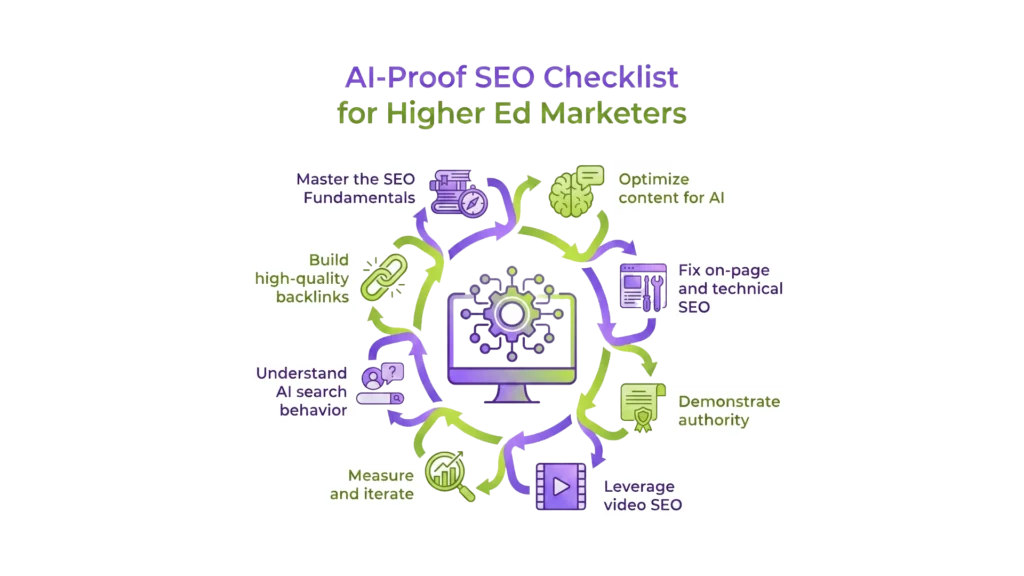
Technical SEO builds a strong foundation for your higher education website to improve visibility and conversions. The digital world changes fast, and these basics matter more than ever.
Keyword Strategy Based On Student Search Intent
Student search behavior affects enrollment results directly. 81% of students say a college website helped them decide whether a school was the right fit. Your strategy should balance:
- Branded keywords – Terms with your institution’s name connect with high-intent users and help you control your story in AI search overviews
- Non-branded keywords – Broader terms attract more searches and build awareness among students who are still checking their options
Structured Data For Program Pages
Schema markup lets search engines read your content the right way, especially for educational programs. Adding Course structured data with details like course name, provider, and description makes your programs easier to find. This approach leads to rich search results and better visibility for your programs.
Internal Linking To Improve Crawlability
Smart internal linking spreads authority across your site and creates clear paths for students and search engines. Good anchor text describes the linked content instead of using generic “click here” phrases. This makes your site more accessible and performs better in SEO. Pages with valuable content need more internal links to share “SEO juice” effectively.
Page Speed Optimization Using Google Pagespeed Insights
Your website’s speed affects rankings and student behavior. Half of web users leave sites that take more than three seconds to load. Google PageSpeed Insights shows what slows your site down and helps you:

- Optimize image weight and compression
- Implement browser and server-side caching
- Minimize code and improve server response times
How to Audit and Improve Your EDU Website UX
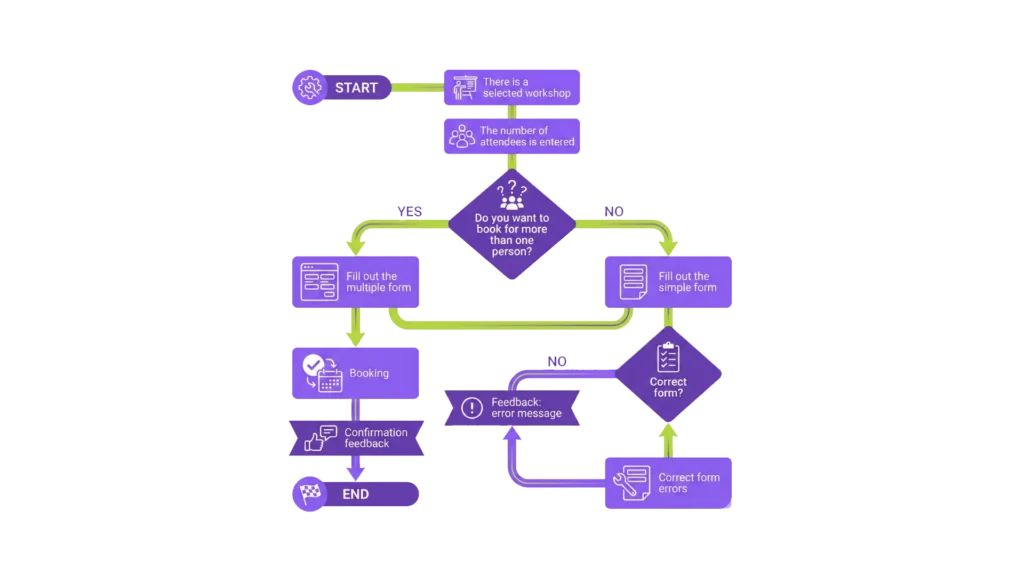
Regular website audits of your higher education site can reveal opportunities you might miss during day-to-day management. Studies show 90% of students check out college websites while searching for schools. Your website’s performance plays a huge role in enrollment numbers.
Using Heatmaps To Track User Behavior
Heatmaps show you exactly how users interact with your pages through visual data of clicks, scroll patterns, and attention spots. These tools help you see if prospective students notice your key elements or just scroll past important details. Click maps tell you when users try to click elements that aren’t actually clickable – that indicates where your design needs work. Scroll maps show how far students read down your pages, which helps you place program details and calls-to-action in the right spots.
Running A Technical Seo Audit With Screaming Frog
Screaming Frog crawls through your website to find technical issues that hurt your SEO and user experience. The tool spots problems like 404 errors, duplicate content, and missing headings. These results help you figure out why prospective students might struggle to find important content, which directly affects your enrollment numbers.
Testing Mobile Usability With Google Search Console
About 70% of mobile users will leave websites that are hard to navigate. This makes mobile usability testing crucial. Google Search Console gives you detailed reports about mobile issues across your site. You should also test your site on real devices since almost half of all graduate students browse university websites on their phones.
Improving Site Architecture For 3-Click Access
A good site structure lets prospective students find important information in three clicks or less. Start by checking analytics to find your most valuable pages. Look at how users move through your site to reach critical content like application forms and program details. Then reshape your navigation based on what you learn to create clear paths that lead visitors to conversion points.
Conclusion
This piece shows how UX and SEO work together as key parts of a successful higher education website strategy. The digital world for colleges and universities has become more competitive. Prospective students now expect quick, accessible, and mobile-friendly experiences while researching their educational options.
Your institution’s website performance directly affects enrollment numbers. Search engines now prioritize user experience metrics along with content quality. Technical optimization must become the lifeblood of your digital strategy. Core Web Vitals ,such as LCP, FID, and CLS, serve as critical measures that affect both search rankings and student participation on your site.
Technical SEO and user experience design share a crucial bond. Beautiful websites fail if students can’t find them through search. The best-ranking sites fail if visitors feel frustrated by poor usability.
Want to change your higher education website into an enrollment-driving powerhouse? RankFast‘s specialized in higher education SEO agency can help you review your current performance. We implement strategic improvements that bring more qualified prospective students to your programs. Your institution deserves visibility that matches your education quality.
FAQs
What are Core Web Vitals, and why are they important for college websites?
Core Web Vitals are a set of specific factors that Google considers important in a webpage's overall user experience. They include Largest Contentful Paint (LCP), First Input Delay (FID), and Cumulative Layout Shift (CLS). These metrics are crucial for college websites as they directly impact search rankings and user engagement, ultimately affecting enrollment outcomes.
How does SEO contribute to increasing student enrollment?
The best SEO agency for higher education helps increase student enrollment by improving a college website's visibility in search engine results. This increased visibility leads to more prospective students discovering the institution online. Additionally, SEO techniques like keyword optimization and structured data implementation help present relevant information to students searching for educational programs, potentially increasing inquiry-to-application conversion rates.
What tools can universities use to audit and improve their website performance?
Universities can use several tools to audit and improve their website performance. These include heatmaps for tracking user behavior, Screaming Frog for technical SEO audits, Google Search Console for testing mobile usability, and Google PageSpeed Insights for optimizing page speed. Regular use of these tools can help identify areas for improvement and enhance overall website effectiveness.
Why is mobile-first design crucial for higher education websites?
Mobile-first design is crucial for higher education websites because a significant portion of prospective students, particularly Gen Z, primarily use smartphones to access college information. A mobile-optimized site ensures a positive user experience for these users, improves the institution's perception among potential applicants, and aligns with Google's mobile-first indexing approach, which affects search rankings.