Your website visitors are impatient. They’ll abandon your site if it takes more than 3 seconds to load – that’s 53% of potential customers gone in an instant. A detailed BigCommerce SEO checklist can stop this exodus of visitors and boost your store’s visibility.
BigCommerce has evolved into a top choice for online store owners since its inception in 2009. Your store could be selling Home & Garden items (16.1% of BigCommerce stores) or Apparel (15.1%). Working with a BigCommerce SEO agency will reshape your store’s performance.
SEO serves as the backbone of digital marketing that substantially affects your BigCommerce store’s visibility and profit margins. Every step counts in today’s competitive e-commerce world – from setting up HTTPS (Google’s ranking signal) to fine-tuning product pages.
This checklist reveals everything about SEO for BigCommerce. You’ll find basic settings and advanced techniques that will boost your store’s rankings and conversion rates.
Set Up Core SEO Settings In BigCommerce
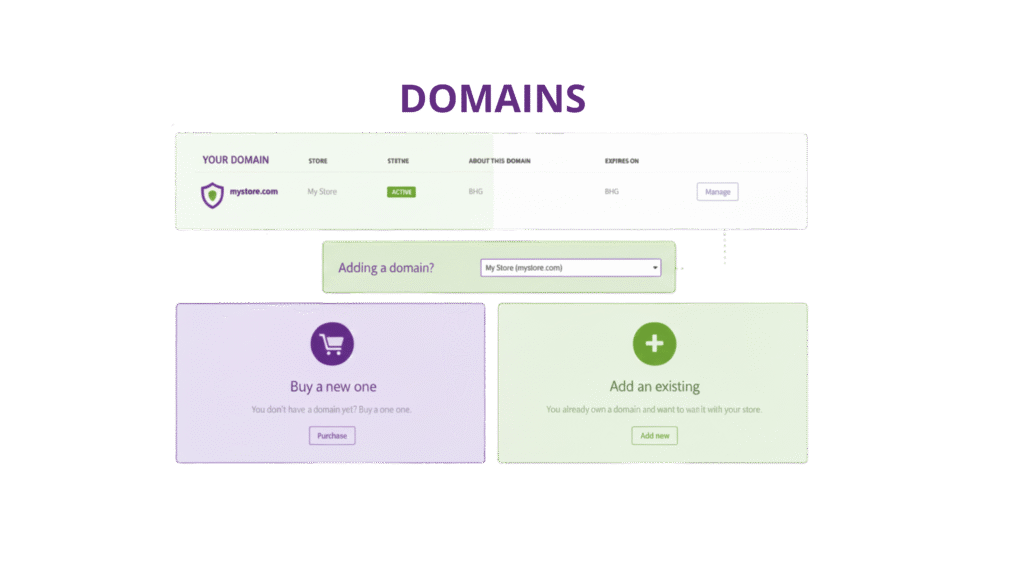
A successful BigCommerce store starts with the right SEO settings. Your store’s technical framework must support search engine visibility before you try advanced optimization techniques. Let’s get into the core SEO settings that are the foundations of your BigCommerce SEO checklist.
Enable SSL And HTTPS
Security does more than protect customer data—it boosts your search rankings. Google has confirmed that HTTPS is a ranking factor in their algorithms. Since Chrome 68’s release, Google labels any site without HTTPS as “not secure,” which can drive visitors away.
Your BigCommerce store comes with sitewide HTTPS enabled by default. Every page—not just checkout or account pages—has encryption and shows a reassuring padlock icon in visitors’ browsers.
HTTPS brings several SEO advantages:
- Better analytics data preserves referral information when traffic moves to HTTPS sites
- Customer trust increases, which leads to higher conversion rates
- Search rankings might improve, even if the boost is small
You can add a third-party SSL certificate through Server Settings in your BigCommerce control panel. Select SSL Certificate, then “Add a 3rd Party”. The installation takes about 20 minutes.
Choose Between WWW Vs Non-WWW
Your store needs to decide between www (www.yourstore.com) or non-www (yourstore.com) URLs. Neither option gives SEO advantages—consistency matters most.
Google sees www and non-www versions as different websites. Poor configuration creates duplicate content issues, splits SEO value, and weakens your backlink profile.
Here’s how to set your preference in BigCommerce:
- Go to Store Setup > Store Settings > URL Structure
- Pick either “Redirect WWW to no WWW” or “Redirect no WWW to WWW.”
Don’t select “No preference”—it allows both versions to show the same content, which creates duplicate pages and hurts your SEO.
Configure SEO-Friendly URLs
BigCommerce gives you several URL structure options. The best choice for SEO for BigCommerce is “SEO Optimized (Category)”. This creates URLs like /category/product instead of generic paths like /products?id=12345.
Best practices for SEO URLs:
- Put hyphens between words (e.g., /blue-womens-t-shirt)
- Place keywords at the start of URLs
- Keep URLs short—they rank better
- Skip unnecessary parameters and filler words
A well-laid-out URL tells search engines what your page contains, which helps your BigCommerce ranking tips.
BigCommerce handles a common e-commerce SEO challenge smartly: products in multiple categories. The platform stops duplicate URLs by using the first category in the URL structure.
Submit Your Sitemap To Google
Your BigCommerce store creates an XML sitemap automatically at https://yourdomain.com/xmlsitemap.php. This file helps search engines understand your site and crawl content efficiently.
Make sure your store is public before submission:
- Open your BigCommerce dashboard
- Head to Channels Manager > Storefront Settings > Storefront Status
- Check that your store isn’t in maintenance mode
Submit your sitemap to Google:
- Sign in to Google Search Console
- Choose your verified property (your site)
- Click “Sitemaps” from the left menu
- Type your sitemap URL (ending in xmlsitemap.php)
- Click “Submit”
Submit your sitemap to Bing too—it increases visibility across multiple search engines.
A BigCommerce SEO agency like RankFast can make these technical tasks easier. Professional BigCommerce SEO services ensure optimal core settings from day one, building strong foundations for your BigCommerce on-page SEO strategy.
Use On-Page SEO To Improve Click-Through Rates
Your BigCommerce store needs proper on-page SEO elements after setting up core technical features. Users decide to click or scroll past based on how your store appears in search results.
Write Compelling Meta Titles And Descriptions
Meta tags give essential information about your web page’s content to search engines within the source code. These tags affect how your store shows up in search engine results pages (SERPs) and help boost click-through rates.
Meta titles work best when you:
- Put your target keyword in the first half of the title
- End with your brand name
- Separate keywords using a colon ‘:’ dash ‘—’ or pipe ‘|.
- Keep length under 60-70 characters (Google cuts off titles based on pixel size)
Search results display your meta title first, giving you a chance to grab attention. A title that stands out from other first-page competitors can boost your BigCommerce on-page SEO results.
Meta descriptions might not directly boost rankings, but they drive more clicks. The best meta descriptions:
- Include your target keyword naturally
- Make users want to click
- Stay under 160 characters to avoid cuts
- Work like mini-ads for your page
Google might not always use your meta description in search results. The search engine could pull text from your page that matches the user’s search better. This makes quality, keyword-rich product descriptions vital for your BigCommerce SEO checklist.
BigCommerce meta tag editing locations:
- Homepage: Settings > Website > Search Engine Optimization
- Product pages: Products > Select product > SEO
- Category pages: Products > Product Categories > Select category > Scroll to bottom
Use Open Graph Tags For Social Sharing
Facebook created Open Graph (OG) tags in 2010 to control URL appearance on social platforms. These tags now work across Twitter, LinkedIn, Pinterest, and messaging apps like WhatsApp and Telegram.
Links look plain and boring without proper OG tags. Dynamic OG tags help increase engagement with your BigCommerce SEO services.
BigCommerce Facebook Open Graph setup:
- Find “Other Details” or “SEO & Sharing” when editing a product
- Set “Object Type” to “Product”
- Choose if the product name and meta description should appear
- Pick “Use thumbnail image” for product image display
This setup works for all products – current and future. Facebook’s Sharing Debugger tool lets you preview your links.
Add Structured Headings With Keywords
Structured headings help organize content and tell search engines about your page’s content hierarchy and query relevance.
Your BigCommerce SEO checklist headings should:
- Use H1 tags for main page titles
- Place H2 and H3 tags in logical order
- Add relevant keywords naturally
- Keep descriptions short but clear
- Match the content that follows
BigCommerce creates heading tags (H1, H2, H3) from your product or category names. This helps manage large product catalogs easily.
Heading optimization in BigCommerce works best when you:
- Create descriptive, keyword-rich product titles and category names
- Use the text editor for product description formatting
- Add more headings in category descriptions
A specialized BigCommerce SEO agency like RankFast can help set up these on-page SEO elements. This ensures better rankings and turns searchers into customers through compelling metadata and organized content.
Optimize Product and Category Pages for Search
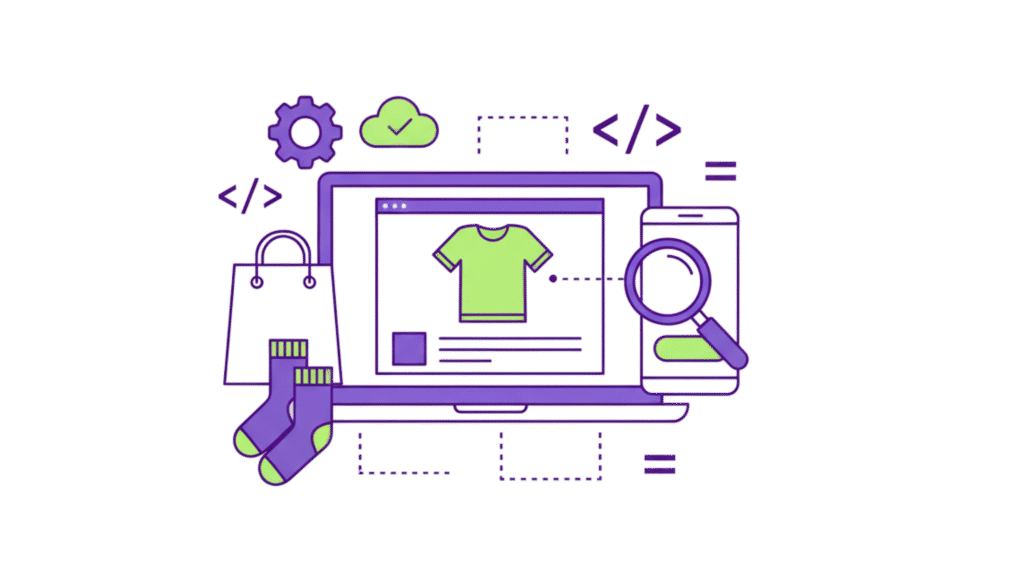
Product and category pages are the foundations of your BigCommerce store’s search visibility. Data from Bright Local shows 87% of consumers read online reviews for businesses. This makes optimizing these pages crucial for both traffic and conversions.
Use Keyword-Rich Product Titles
Your first chance to show relevance to search engines and potential customers comes from product titles. These titles should describe your products clearly while naturally including important keywords without looking spammy.
Your BigCommerce SEO checklist should have product titles that:
- Put primary keywords near the beginning
- List specific attributes that shoppers search for (size, color, material)
- Stay readable even with keywords
The BigCommerce platform uses these titles for H1 tags automatically. This makes them twice as important for your SEO for BigCommerce strategy. Note that your product name becomes the H1 tag text, so add target keywords thoughtfully.
Add Unique Product Descriptions
Many sellers copy manufacturer descriptions, which hurts their BigCommerce on-page SEO. Search engines don’t like duplicate content. In fact, unique descriptions are vital.
BigCommerce points out that “duplicate information is detrimental to SEO. You should create original product descriptions that:
- Show benefits beyond simple features
- Use subheadings and bullet lists to break up text
- Add primary and secondary keywords naturally
- Meet your typical shopper’s needs and concerns
BigCommerce’s SEO tools make optimization easy by letting you customize meta descriptions and add alt text for images. Strong SEO combined with compelling content helps boost conversion rates.
Include Schema For Reviews And Pricing
Schema markup helps search engines understand your content structure. It lets your products show rich snippets in search results with star ratings, pricing, and availability information.
Your BigCommerce ranking tips should include these schema elements:
- Product schema with name, image, and description (required)
- AggregateRating to display star ratings in search results
- Offer schema with pricing details
- Review the schema for customer feedback
Schema markup is easier to implement than it seems. Use Google’s Rich Results Test to check for issues like “missing field,” duplicate product objects, or price/availability mismatches.
Use Breadcrumbs And Internal Links
Breadcrumb navigation makes your site better for users and helps search engines understand your structure. Research shows that breadcrumb navigation improves your chances of appearing on Google’s first page.
Here’s how to add breadcrumbs in BigCommerce:
- Go to Setup & Tools Design
- Click on Edit HTML/CSS
- Find page.html in Other Template Files
- Add %%Panel.PageBreadcrumb%% to the HTML where breadcrumbs should appear
- Save your changes
Internal linking strengthens your bigcommerce SEO services by sharing link equity across your site. Connect related products, link from category pages to popular items, and use keyword-rich anchor text to build topical relevance.
Working with a specialized bigcommerce SEO agency like RankFast ensures your product and category pages follow these optimization best practices. This leads to better visibility and more conversions for your store.
Boost Technical SEO for Better Crawlability
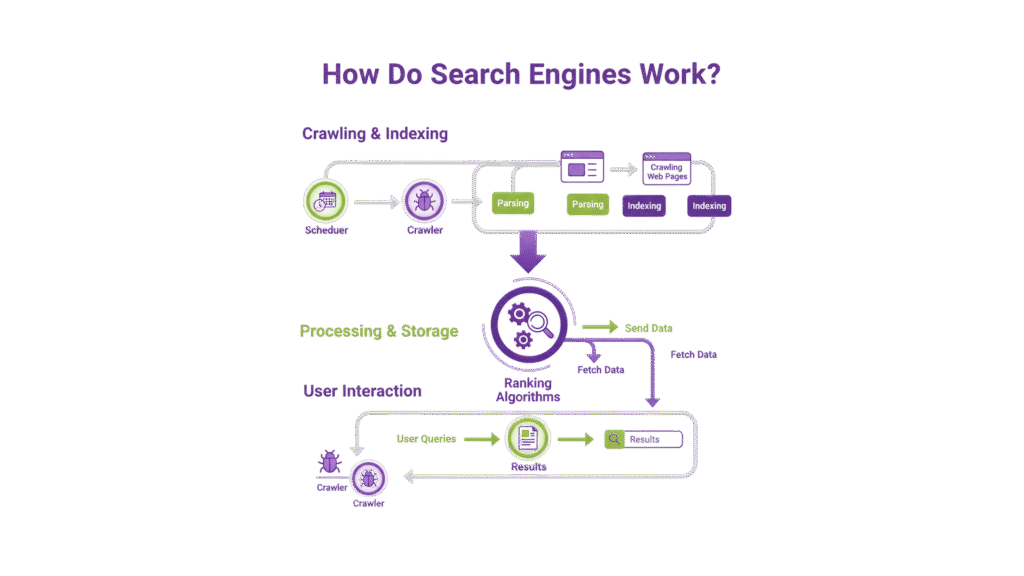
Your store’s search rankings depend heavily on technical SEO factors. You need to help search engines crawl and index your BigCommerce store after you optimize your content. Let’s look at the technical tweaks that will complete your BigCommerce SEO checklist.
Improve Page Speed With Lazy Loading And Minification
Customers hate slow websites. About 75% of smartphone users leave sites that don’t work well on mobile. Here’s what you can do to keep them on your site:
- Make your CSS, JavaScript, and HTML files smaller to speed up loading
- Push non-critical scripts to load later so pages render faster
- Use lazy loading for images and videos below the fold
All the same, you need to be smart about lazy loading. Your above-the-fold content (especially hero images) shouldn’t use lazy loading, as it can hurt your Largest Contentful Paint (LCP) scores. For the best BigCommerce on-page SEO, only use lazy loading for elements users see when they scroll down.
Google’s PageSpeed Insights can show you what needs work. Keep an eye on these key metrics:
- LCP (Largest Contentful Paint) – Should be under 2.5 seconds
- FID (First Input Delay) – Keep it under 100 milliseconds
- CLS (Cumulative Layout Shift) – Try to stay below 0.1
Use A Content Delivery Network (CDN)
CDNs are vital for your SEO for BigCommerce strategy. They store your site’s files on servers worldwide and send them from the closest location to each visitor.
BigCommerce works with Cloudflare CDN right out of the box to deliver images faster and improve loading times. This gives you several benefits:
- Quick content delivery, no matter where your visitors are
- Better handling of sudden traffic spikes that could slow down your site
- Better experience for customers from other countries
Sites without CDNs load much more slowly for visitors far from the host servers. This matters a lot if you sell to customers worldwide.
Fix 404 Errors And Set Up 301 Redirects
Broken links and 404 errors frustrate users and waste your crawl budget. Here’s how to maintain your BigCommerce ranking tips:
- Check your store regularly for broken links
- Use 301 redirects for old URLs or changed product names
Setting up 301 redirects in BigCommerce is simple:
- Go to Settings › 301 Redirect
- Put the old URL path in the “Old URL” field
- Pick either Manual Link (specific URL) or Dynamic Link (product/category)
BigCommerce also creates 301 redirects automatically when you change product names or URLs. This helps keep your link value when you make site changes.
Ensure Mobile-First Design And AMP Support
Mobile optimization isn’t optional anymore—Google looks at mobile versions first when indexing websites. BigCommerce led the way as the first ecommerce platform to build in Accelerated Mobile Pages (AMP). Merchants using AMP-powered category pages have seen their click-through rates jump up to 20%.
Your mobile optimization checklist:
- Run your site through Google’s mobile-friendly test
- Make sure navigation works well on small screens
- Use AMP to make pages load almost instantly on mobile
Mobile optimization affects both your rankings and sales. About 75% of smartphone users will leave if your site isn’t mobile-friendly.
Working with a specialized BigCommerce SEO agency like RankFast will help you get these technical elements right. This creates strong foundations for BigCommerce SEO services that bring lasting results.
Implement SEO Tools and Apps For Automation
Manual SEO management becomes overwhelming when you handle hundreds of products. The right tools can automate time-consuming optimization tasks. This gives you time to work on strategy instead of execution for your BigCommerce SEO checklist.
Install BigCommerce SEO Apps Like SEOKart or FavSEO
SEO apps designed for BigCommerce work as force multipliers for your optimization efforts. FavSEO stands out as a bulk optimization powerhouse. You can edit hundreds of product titles and meta descriptions at once. The app connects with Google Search Console to show new keyword opportunities and track ranking performance.
Stores with large catalogs should look at these powerful options:
- SEOKart for complete site audits
- ProSEOTracker combines data from Google Analytics, Search Console, and AdWords into unified dashboards
- ReloadSEO shows live performance with position tracking and keyword tools
Use Google Analytics 4 and Search Console
Google Analytics 4 and Search Console help shape your BigCommerce on-page SEO strategy. You can get more from these platforms by connecting them:
- In Google Analytics 4, go to Admin > Property Settings
- Under Property Settings, click on Product Links
- Select Search Console and follow the prompts
This connection creates a powerful combination. Your store’s traffic data works together with details about how customers first found you. You might learn that Instagram visitors spend twice as long on product pages compared to Facebook visitors, yet convert at half the rate.
Search Console verification steps:
- Go to Google Console’s Alternate Methods tab
- Pick verification by meta tag
- In BigCommerce, head to Storefront > My Themes > Advanced > Edit Theme Files
- Look for Templates > Layout > base.html
- Add the verification code between the <head></head> tags
Monitor Performance With Built-in BigCommerce Reports
BigCommerce comes with its own reporting tools that track your SEO for BigCommerce progress. These built-in analytics show which optimization efforts bring results.
A specialized BigCommerce SEO agency like RankFast can help set up and manage these tools. They turn raw data into practical BigCommerce ranking tips that grow your store measurably.
Why Choose RankFast for BigCommerce SEO Services
Choosing the right partner for your ecommerce SEO needs can make or break your store’s success. RankFast stands out as a specialized BigCommerce SEO agency with proven results in many industries.
Expertise In BigCommerce SEO Strategies
RankFast’s team excels at the BigCommerce platform and understands its unique features and limitations. Their experts have served over 300 clients across 14 countries. The results speak for themselves – more than 32 million dollars in revenue and 60 million organic visits for managed brands. RankFast differs from general marketing agencies by focusing on strategies that build lasting results instead of quick fixes that don’t last.
Custom SEO Plans Tailored To Your Store
The BigCommerce SEO checklist world doesn’t follow a one-size-fits-all approach. RankFast builds custom marketing plans that match your business needs. Their team takes a close look at your store to improve:
- Page speed and user experience
- Tracking implementation
- Landing pages and conversion funnels
This personalized strategy makes your SEO for BigCommerce work better by converting visitors into paying customers.
Transparent Reporting And Performance Tracking
RankFast’s BigCommerce SEO services provide detailed reports that show your campaign performance clearly. Clients love their honest approach to reporting. The team monitors every aspect:
- Impressions and clicks
- Conversions and revenue
- ROAS and cost metrics
- Key BigCommerce on-page SEO metrics, like rankings and traffic
Full-service Support From Keyword To Conversion
RankFast goes beyond basic BigCommerce ranking tips to offer complete support throughout your SEO experience. Their managed accounts have seen an average 450% increase in website traffic. They blend technical expertise with strategic guidance to help you outshine competitors.
Ready to see how on-page optimization can boost your BigCommerce store? Discover RankFast’s on-page SEO services to receive a customized strategy that delivers tangible results.
Conclusion
Your BigCommerce SEO strategy needs to cover several technical details and best practices. This piece shows you how HTTPS, SEO-friendly URLs, and proper redirects are the foundations of your store’s search visibility. Your click-through rates get better when you optimize on-page elements like meta titles, descriptions, and structured headings.
Your product pages are your store’s most valuable SEO assets. You can rank higher and give users a better experience by writing unique descriptions, adding schema markup, and making your site mobile-friendly. Your store performs better on all devices with technical SEO improvements like faster page speeds and CDN setup.
Want to improve your BigCommerce store’s search performance? RankFast‘s on-page SEO services give you the expertise you need to apply this checklist the right way. The difference between struggling to be seen and leading your market comes down to how well you execute these SEO basics.
FAQs
What are some key on-page SEO elements for BigCommerce stores?
Important on-page SEO elements for BigCommerce stores include writing compelling meta titles and descriptions, using Open Graph tags for social sharing, and adding structured headings with relevant keywords. These elements help improve click-through rates and search visibility.
How can I improve my BigCommerce store's page speed?
To improve your BigCommerce store's page speed, you can implement lazy loading for images below the fold, minify CSS, JavaScript, and HTML files, and use a content delivery network (CDN). BigCommerce integrates with Cloudflare CDN automatically to optimize image delivery and improve load times.
What are some recommended SEO apps for BigCommerce?
Some recommended SEO apps for BigCommerce include SEOKart for comprehensive site audits, FavSEO for bulk optimization of product titles and meta descriptions, and ProSEOTracker for consolidating data from various analytics platforms into unified dashboards.
How important is mobile optimization for BigCommerce stores?
Mobile optimization is crucial for BigCommerce stores. With Google using mobile-first indexing, ensuring your site is mobile-friendly is essential for both rankings and conversions. BigCommerce was the first e-commerce platform to integrate Accelerated Mobile Pages (AMP) natively, which can lead to higher click-through rates on mobile devices.